
.png)
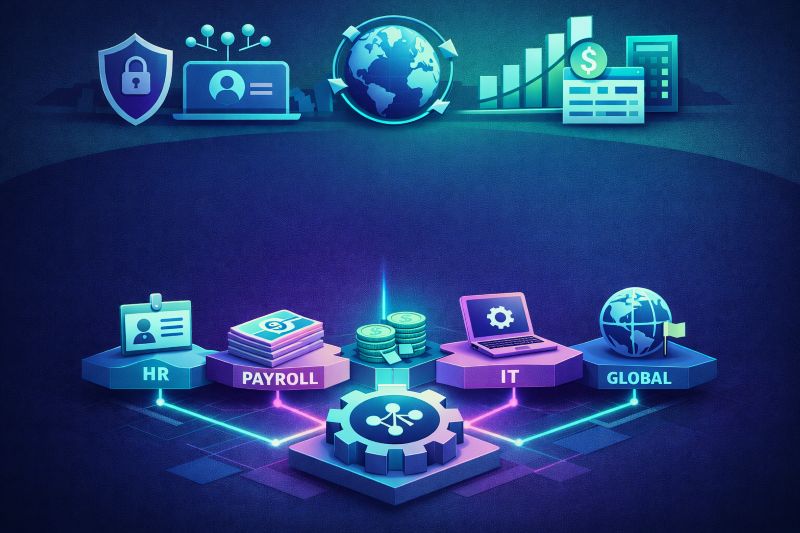
Rippling now spans more than two dozen products across HR, payroll, IT, finance, and global workforce management.
That breadth is powerful — but it creates a new problem: decision fatigue.
Companies either:
This guide breaks down every major Rippling module, who it’s built for, and how to decide what actually belongs in your stack.
Before evaluating individual modules, you need to understand what makes Rippling architecturally different: the Unity Platform.
This is the mandatory base layer. Every module plugs into it.
Unlike legacy HR systems, Rippling maintains one unified employee record — role, compensation, device, manager, location, permissions, benefits, and app access.
Change someone’s title?
No manual syncing. No API duct tape.
The Unity Platform is not optional — but configured correctly, it typically pays for itself quickly.
If you’re implementing Rippling, start with our
👉 Ultimate Rippling Setup Checklist
Rippling’s HR Cloud covers the full employee lifecycle — from recruiting through offboarding.
Your digital people operations hub.
Includes:
Best For: Every Rippling customer. This is the universal starting point.
Built-in recruiting platform with:
Strong for companies under ~500 employees.
Best For: SMBs hiring actively who want seamless recruiting → onboarding data flow.
If you’re evaluating recruiting stack design, see:
👉 Recruiting Solutions
Build and auto-assign:
Workflow Studio enables conditional assignment (e.g., engineers in California auto-enrolled in state-mandated training).
Best For: Regulated industries or fast-growing teams scaling onboarding.
👉 Learning Management Solutions
Includes:
Major advantage: performance data lives alongside compensation and org structure.
Best For: Companies wanting comp planning and performance inside one system.
👉 Performance Management Solutions
Build:
Data feeds directly into Rippling Analytics.
Best For: Teams wanting built-in engagement data without adding Culture Amp or a similar platform.
One of Rippling’s strongest modules.
Handles:
The payroll-benefits sync alone eliminates one of the most common payroll error sources.
Best For: Any company offering health benefits.
👉 Rippling Implementation Services
Shared HR + Finance visibility into:
Reduces spreadsheet dependency.
Best For: 100+ employee companies running structured planning cycles.
Designed for hourly workforces:
Shifts flow directly into Time & Attendance → Payroll.
Best For: Businesses with non-exempt hourly workers.
Payroll is one of Rippling’s most mature modules.
Includes:
Data flows automatically from HR, time tracking, and benefits.
Best For: Virtually every Rippling customer with US employees.
We also offer:
👉 Managed Payroll Services
Supports:
Best For: Hourly or billable-hour workforces.
This is where Rippling differentiates most dramatically from traditional HR platforms.
When HR and IT share the same employee record:
Includes:
Access adjusts automatically based on role, location, department.
Best For: Tech-forward companies with 25+ employees and multiple SaaS tools.
👉 Identity & Access Management Solutions
Manage:
Often replaces Jamf or Intune for sub-500 employee companies.
Best For: Remote or hybrid teams prioritizing device security.
Rippling can:
Includes automated device retrieval on offboarding.
Best For: Remote-first companies managing distributed hardware.
Rippling’s fastest-growing product category.
Because it already understands org structure and roles, it can enforce spend policies automatically.
Best For: Teams buried in manual expense approvals.
👉 Expense Management Solutions
Best For: Companies issuing 10+ corporate cards.
Best For: Finance teams running AP via email chains.
Best For: Teams with frequent travelers.
Rippling’s global stack keeps international workers in the same system as domestic teams.
Hire internationally without opening a foreign entity.
Rippling handles:
Best For: First 1–5 hires in a new country.
👉 Rippling PEO vs EOR Guide
👉 Employer of Record Solutions
Run payroll in 50+ countries inside the same system as US payroll.
Best For: Companies with established foreign entities consolidating payroll operations.
Pay contractors in 185+ countries with compliant contracts and automated payments.
Includes Contractor of Record options.
👉 Global Contractors Solutions
Rippling allows full stack customization. Without a framework, teams overscope.
Unity Platform + HRIS + Payroll + Benefits
This core stack delivers:
PainAdd ThisSkip IfIT onboarding slowIAM + MDM<20 employeesHour tracking messyTime & AttendanceFully salariedExpense approvals chaoticExpense Management<20 submittersCompliance training missedLMSDedicated L&D toolHiring internationallyEOR / Global PayrollSingle-country teamReviews in spreadsheetsPerformanceStandardized on Lattice/15FiveShift-based workforceSchedulingNo hourly staffSpend visibility lackingCards + Bill PayMature AP system already in place
At this stage, cross-department coordination costs become significant.
👉 Rippling Consulting Services
After dozens of implementations, patterns repeat.
IAM and MDM require rollout planning.
Rippling works best when replacing tools — not layering on top.
Without automation, Rippling becomes an expensive HRIS.
Budget 4–8 weeks per country for EOR / Global Payroll.
Technology is half the implementation. Adoption is the other half.
If you're unsure which modules make sense for your stage, we can help you model the business case and avoid overbuying.



December 24, 2025
Career
It's 2026, and career ladders are breaking down as flatter organizations, faster skill change, and AI reduce traditional promotion paths. Research shows high performers now grow by expanding scope, building in-demand skills, moving laterally, and earning trust through outcomes—not by waiting for titles. Employees must manage careers as portfolios of skills and impact, while PeopleOps and HR must redefine growth around scope and mobility, enable managers in leaner orgs, and ensure fair access to opportunity or risk losing top talent.
Career


November 28, 2024
Compliance
Upcoming 2025 employment law changes in the U.S. and Canada will significantly impact businesses, but Rippling’s automated compliance tools and robust HR features can help organizations stay ahead and confidently adapt to evolving regulations.
Compliance


July 11, 2026
Compliance
Illinois is live, Colorado lands June 30, twenty states now regulate HR data, and a federal executive order is fighting all of it. Chasing each statute is a losing game. Here's the highest-common-standard posture that holds up regardless of how the fight resolves.
Compliance
We'd like to use cookies from Google Analytics (to understand how the site is used) and Google Ads / DoubleClick (to measure our ads). They stay off unless you accept. See our Privacy Policy.
Your browser is sending a Global Privacy Control signal, so tracking is off and we won't sell or share your information.