Most HR systems are designed around people who sit at a desk, log in every morning, and work a predictable eight-hour day. A large share of the workforce doesn't look like that. Crews, drivers, technicians, warehouse staff, and shift workers start at different sites, work irregular hours, and often have no company laptop at all. Systems built for office workers tend to break quietly for these teams, and the cost shows up as wage-and-hour claims, payroll corrections, and managers keeping side spreadsheets.
This guide covers how to set up time tracking, scheduling, and compliance for non-desk workers on Rippling, and the points where the design choices matter more than the software.
Key Takeaways
- Time is the product. For hourly workers the timecard drives pay, overtime and legal compliance, so every clock-in error costs money directly.
- Location data drives the rules. Rippling applies overtime and break rules by work location, so a wrong location quietly means the wrong rules.
- Scheduling is a compliance function. Fair workweek rules in places like New York City, Chicago and Oregon require advance notice and extra pay for late changes.
- Policy causes more claims than software. Off-the-clock work, travel between sites, rounding and exemption mistakes generate more wage claims than any software gap.
Why Non-Desk Workforces Are a Different Problem
Three things set frontline teams apart. First, time is the product: for hourly workers, the timecard is the basis for pay, overtime, and legal compliance, so errors cost money directly. Second, the rules vary by place: overtime, meal and rest breaks, and scheduling notice requirements differ by state and sometimes by city. Third, supervision is distributed: the person approving timecards is often on the same shift, with no time to chase corrections.
Designing for this means making the right behaviour the default and surfacing exceptions early, instead of relying on managers to catch problems at the end of the pay period.
Time Tracking: Make Clock-In Simple and Verifiable
Rippling Time and Attendance lets employees clock in and out from the mobile app, a web portal, or a physical time clock, which matters when not everyone owns or wants to use a personal phone for work. Employees can also clock breaks, not just the start and end of the day.
For workers who must be on site to start, you can set a GPS radius around a work location so clock-in from the mobile app is only allowed within it. That prevents the most common form of time inflation, clocking in before arriving, without a supervisor having to police it. If you roll this out, tell employees exactly what location data is used and when, and keep the policy written down. People accept location checks far more easily when the purpose is clear.
Before you roll anything out, test it in the places where your people really work. Check how the app behaves with weak signal in a basement, a remote site, or a loading dock, and decide in advance how a missed punch gets corrected and who approves it.
Pro tip: Pair any GPS radius with a written policy that tells employees exactly what location data is used and when. A clear purpose is what gets people to accept location checks.
Overtime and Breaks: Let the Location Drive the Rules
Federal law generally requires overtime pay at one and a half times the regular rate for hours over 40 in a workweek for non-exempt employees. Many states add their own rules, such as daily overtime thresholds. California also requires meal and rest breaks and adds a premium payment of one hour of pay when a required break is missed.
Rippling enforces overtime, meal break, and other labor rules based on each employee's work location, and when someone from a new state is added to an existing time policy it creates the applicable state overtime policy automatically. For break rules, it can prompt employees to confirm a meal waiver on their phone and send reminders, such as a nudge to take a break after four hours worked. It can also flag timecards that don't comply and notify finance when overtime runs high.
That's powerful, but it only works if the underlying data is right. The most common failure isn't a software error. It's an employee whose work location is set to headquarters when they actually work on a site in another state. Check your location data before you trust any rule that depends on it.
Watch out: Audit work locations before you trust location-based rules. An employee set to headquarters who actually works on a site in another state will get the wrong overtime and break rules, and no software error will flag it.
Scheduling: The Layer Most Teams Underestimate
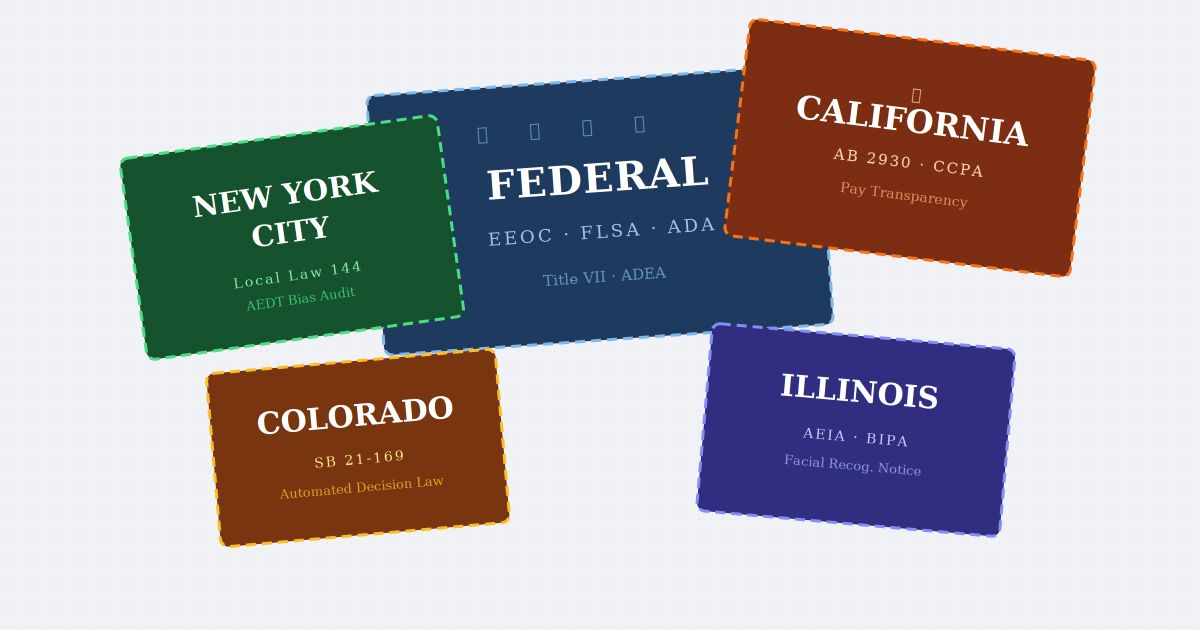
Time tracking tells you what happened. Scheduling decides what should happen, and for shift-based businesses it's where much of the compliance exposure sits. A growing number of jurisdictions, including cities such as New York City, Chicago, Seattle, San Francisco, and Philadelphia, and the state of Oregon, have predictive scheduling or fair workweek rules that require advance notice of schedules and extra pay when shifts change late. If you operate in any of them, scheduling is a compliance function, not just a convenience.
Rippling offers Scheduling as an add-on to Time and Attendance, designed to build schedules that account for overtime and compliance requirements. When evaluating it, confirm how it handles the specific rules in your locations, such as notice periods and rest-between-shifts requirements, rather than assuming it covers every local ordinance.
Real-World Rules That Cause Pay Disputes
A few issues generate more wage claims than any software gap.
Off-the-clock work. Pre-shift setup, post-shift cleanup, putting on required safety gear, and waiting to go through security can all be compensable work time. If employees do it before punching in, you have a problem regardless of how good your clock is.
Travel between sites. Time spent traveling between job sites during the workday is generally paid time. Commuting from home to the first location usually isn't, but exceptions exist. Write your policy down by role.
Rounding. Rounding punches is permitted only when it is neutral over time and doesn't consistently favor the employer. Many companies are safer paying to the minute.
Exempt versus non-exempt. Job title doesn't determine exemption. Duties and pay do. A "supervisor" who spends most of the shift doing the same work as the crew may be non-exempt.
Payroll, Safety, and Onboarding for Field Teams
Because Rippling connects time data directly to payroll, approved hours flow into the pay run without re-entry, which removes the weekly spreadsheet reconciliation many field businesses still do. Set up approval workflows so supervisors approve timecards on their phones before payroll cutoff, with escalation if they don't.
Onboarding matters too. Frontline hires are often the highest-volume and fastest-moving, and safety training and certifications often need to be complete before someone starts work. Build a role-specific path in your onboarding workflow that assigns training and collects required documents before the first shift, and use Rippling LMS to track recertification dates so lapses surface early. For a deeper look at how the time product behaves in practice, see our time tracking test drive.
A Rollout Checklist
- Confirm each employee's work location, pay type, and exempt or non-exempt status before go-live.
- Document your rules for rounding, breaks, travel time, and missed punches, and train supervisors on them.
- Pilot with one site or crew for a full pay period and compare results to your old process line by line.
- Decide who approves what, by when, and what happens if they don't.
- Review overtime and break exceptions weekly during the first two months.
Frequently Asked Questions
Can Rippling restrict clock-in to a job site?
Yes. You can set a GPS radius around a work location so mobile app clock-in is only allowed within it, which stops employees clocking in before they arrive. Employees can also clock in from a web portal or a physical time clock.
Does Rippling apply state overtime rules automatically?
Rippling enforces overtime, meal break and other labor rules based on each employee's work location, and creates the applicable state overtime policy when someone from a new state is added to an existing time policy. It only works if each employee's work location is set correctly.
Is travel time between job sites paid?
Time spent traveling between job sites during the workday is generally paid time. Commuting from home to the first location usually isn't, but exceptions exist, so write your policy down by role.
Is rounding employee time punches legal?
Rounding is permitted only when it is neutral over time and doesn't consistently favor the employer. Many companies are safer paying to the minute.
The Bottom Line
For non-desk workers, the system is only as good as the rules behind it and the people who follow them. Rippling can enforce location-based overtime and break rules, verify where people clock in, and push approved hours straight into payroll. The setup work is what makes it hold up: clean location data, clear written policies, and supervisors who know what they're approving.
If you're moving a frontline or field team onto Rippling, or the setup you have isn't holding up, get in touch with the thePeopleStack team. This post is general information, not legal advice, so confirm requirements for your specific locations.

Andrew brings a wealth of hands-on HR experience literally working in the trenches (in mining) and other similarly unique businesses. When he's not playing Dad to his young family, he's working on his jump shot.